Assets, stores and buying
Read an asset's record and warranty, get a part onto a job without counting it twice, and take a purchase from request to paid invoice knowing who signs each step.
Warm-up, from memory: (1) A stock alarm says “This clears itself once … is back in stock.” What do you raise? (Lesson 3) (2) On the completion form, which corrective-job field must never be left blank? (Lesson 2)
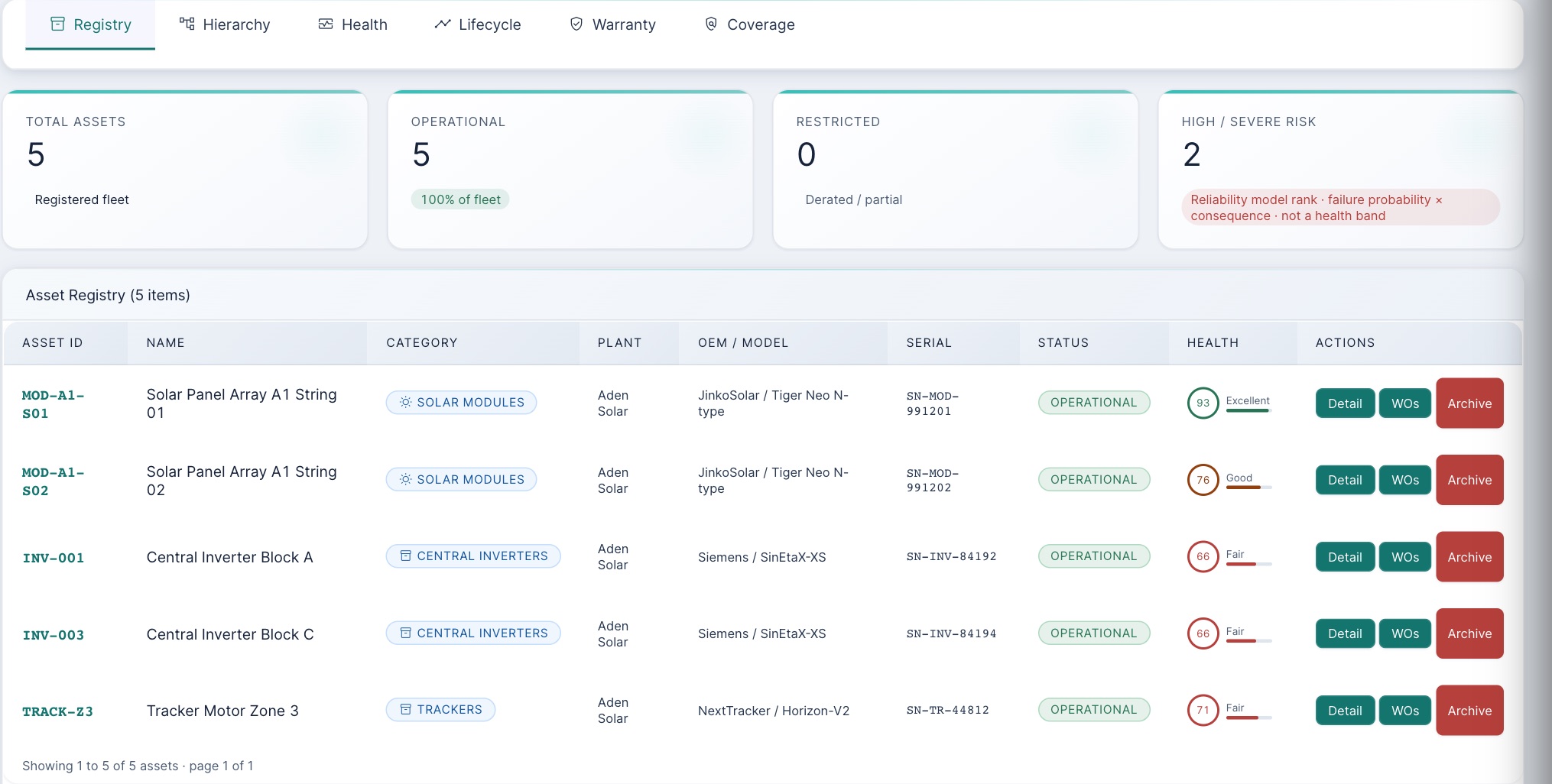
Everything below was done on 15 and 16 October 2026 in the training copy at Aden Solar, running the current code, by Tariq (technician), Sara (supervisor), Paul (plant manager), Carla (corporate) and Adam (admin). Messages in quotation marks are the app's own words.The training copy has five assets at Aden and two spare parts we added for this lesson: an inverter cooling fan (TRN-FAN-230, $85) and an inverter display panel (TRN-DISP-01, $240).
1 · The asset record
Where: Asset Vault (technicians: Assets) → Asset Intelligence. Every work order, alarm, permit, spare and warranty hangs off an asset, so search the register by tag, name or serial and open Detail. Its tabs hold the work orders, PM schedule, health, documents, warranty, alarms and spare parts for that one piece of equipment.
Warranty: check the date yourself
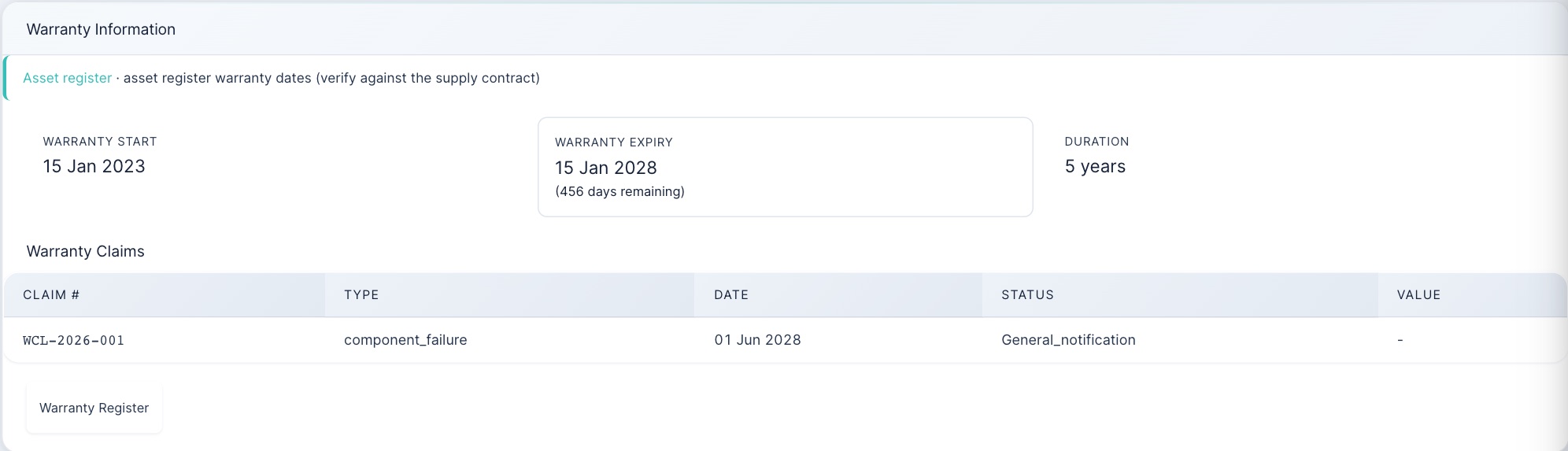
A claim is only worth raising if the failure happened inside the warranty term. The app does not check this for you: Tariq raised a claim with a failure date months after the expiry and it was filed. Compare the failure date with Warranty expiry on this tab before you raise a claim, and attach the job's photos and readings as evidence. Anyone at the plant can raise a claim; only corporate and admin users move it on (acknowledged, in progress, resolved).
2 · Parts for a job
Where: Asset Vault → Inventory & Stores (technicians: Parts Requisitions). Stock is held per plant: a part at Aden cannot be issued to a job at another plant (move it with a stock transfer first).
| Step | Who | What the app did |
|---|---|---|
| Reserve parts for a planned job, so nobody else takes them | Plant, corporate, admin | Sara: “Reserved 2 units.” Tariq: “Not authorised.” |
| Issue the part from stores against the job | Everyone at the plant | “Material issued to the work order.” The part is booked to the job at its price. |
| Issue more than is free | “Cannot issue 1: only 0 free. 2 on hand, 2 committed to other work orders.” Parts reserved for another job are not free. | |
| Reorder when stock falls to the reorder level | The app | A draft request appears (PR-AUTO-…). Nobody is told and nothing submits it: someone must open it. |

Two more things the app allows that you should not do: a technician can book stock in on the Stores page with no purchase order (“Stock received (GRN).”), and a part can be issued with no job at all, although the reply still says “issued to the work order”. Both make the stock count wrong.When adding a new part, Category must be one of spares, consumables, tools, ppe or oils. Any other word is refused with the misleading “Could not add material (duplicate SKU?)”.
3 · Buying: request to paid invoice
Where: Asset Vault → Procurement Center (technicians: Stock Requests & Receipts). One purchase passes six hands:
| Step | Who | What the app did on 16 October |
|---|---|---|
| 1 Request (requisition) | Site, plant, admin; corporate can too from this form | Tariq: “PR PR-2026-0002 submitted successfully.” Six fans, $510. Refused if the plant has no budget for the year. |
| 2 Approve | Corporate or admin only, never the person who raised it | Tariq and Paul: refused. Carla: “Fully approved (all 1 level(s) complete)”. |
| 3 Order (convert to PO, send) | Plant, corporate, admin | Sara: “converted to PO-2026-0001”, then “PO sent to supplier”. |
| 4 Receive (goods receipt) | Site, plant, admin | Tariq: 8 refused (“exceeds the outstanding 6”); 4 accepted: “PO partially received (4 of 6)”. |
| 5 Invoice (enter the supplier's bill) | Plant, corporate, admin | Sara entered 6 × $85. The app matched it three ways: “Over-billed … needs review: Invoiced qty 6 (cumulative 6) exceeds received 4.” |
| 6 Pay (approve, then mark paid) | Corporate or admin only | Sara: “Only finance (corporate/admin) can approve…”. Carla: “tick override and give a reason”. |
How many approvers a request needs depends on its value, with the standard bands: under $5,000 one, from $5,000 two, from $50,000 three, each a different person.

- Requests typed on the form are not linked to the stock item. The four fans Tariq received did not reach the shelf: stock stayed at 0 and the “Out of stock” alarm stayed on. After receiving, ask the storekeeper to book the parts in on the Stores page against the PO number.
- The supplier is free text. “Any Supplier Ltd”, which is in no supplier list, got a purchase order. Check the name against Supplier Center before converting.
- An override needs any reason at all. Carla approved the over-billed invoice with the reason “ok”. Finance: write what was checked, or reject and ask for a credit note.
- Automatic requests can be self-approved. When Adam's issue triggered PR-AUTO-966656, Adam approved it himself: “Fully approved”. The “not your own request” rule only works on requests a person typed. Never approve a request your own stock movement raised.
4 · Practice
Allowed or refused?
All ten were tried in the training copy on 16 October 2026.
Put a purchase in order
From memory: (1) You issued a filter from stores to your job this morning. What do you put in Parts Used when you complete the job, and why? (2) Six fans were received against a PO but the shelf still shows 0. What happened, and what do you do? (3) Before raising a warranty claim, what do you compare?
Your part, by role
| You are | You do |
|---|---|
| field Technician, storekeeper | Issue parts against the job, once. Raise requests for what the plant needs. Receive deliveries, counting what really arrived. Check warranty dates before a claim. |
| plant Supervisor, plant manager | Reserve parts for planned jobs. Convert approved requests to orders with a listed supplier and send them. Enter supplier invoices. Clear draft automatic requests. |
| corporate Finance, approvers | Approve requests (never your own, including ones your actions raised). Set each plant's yearly budget. Approve and pay invoices; override a mismatch only with a written reason. |
| admin | All of the above at every plant. Keep the approval bands and the part categories right. |
Reference: Stores and buying card · Glossary · Previous: Lesson 6 · Next: Lesson 8, Reading the numbers