Voltara Agents and the AI assistant
What the agents do on their own, how to handle the jobs and decisions they put in front of you, and what the AI assistant can and cannot answer.
Warm-up, from memory: (1) Which daily figures does the nightly data check leave unmarked? (Lesson 8) (2) Who may approve a work order you raised yourself? (Lesson 2)
Everything below was done on 18 October 2026 in the training copy, running the current code. We ran the agents' night shift and their act step by hand, exactly as the server runs them, then used the screens as Sara (supervisor), Tariq (technician) and Carla (corporate).On the live server the agents' night shift runs once a day and their act step every 30 minutes. The training copy only runs them when told to.
1 · What the agents are
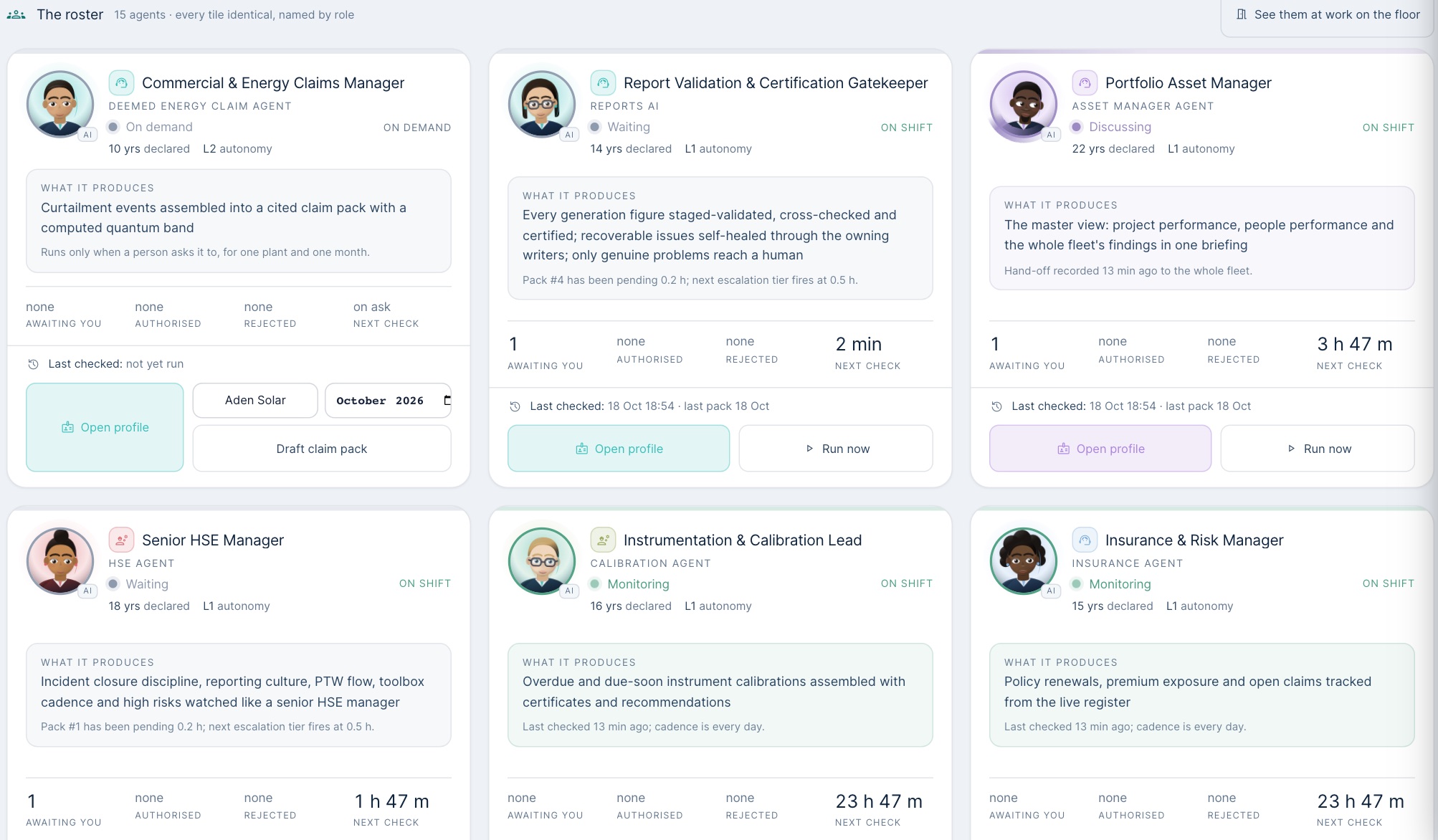
Voltara Agents are 14 programs, each watching one area of the data: performance, data quality, HSE, PM, spare parts, warranty, invoices, attendance and others. They are shown like colleagues, with portraits, job titles and “years declared”, but they are software reading the same records you do.The years of experience on each card are a setting, not a fact about anyone.
2 · They raise work orders by themselves
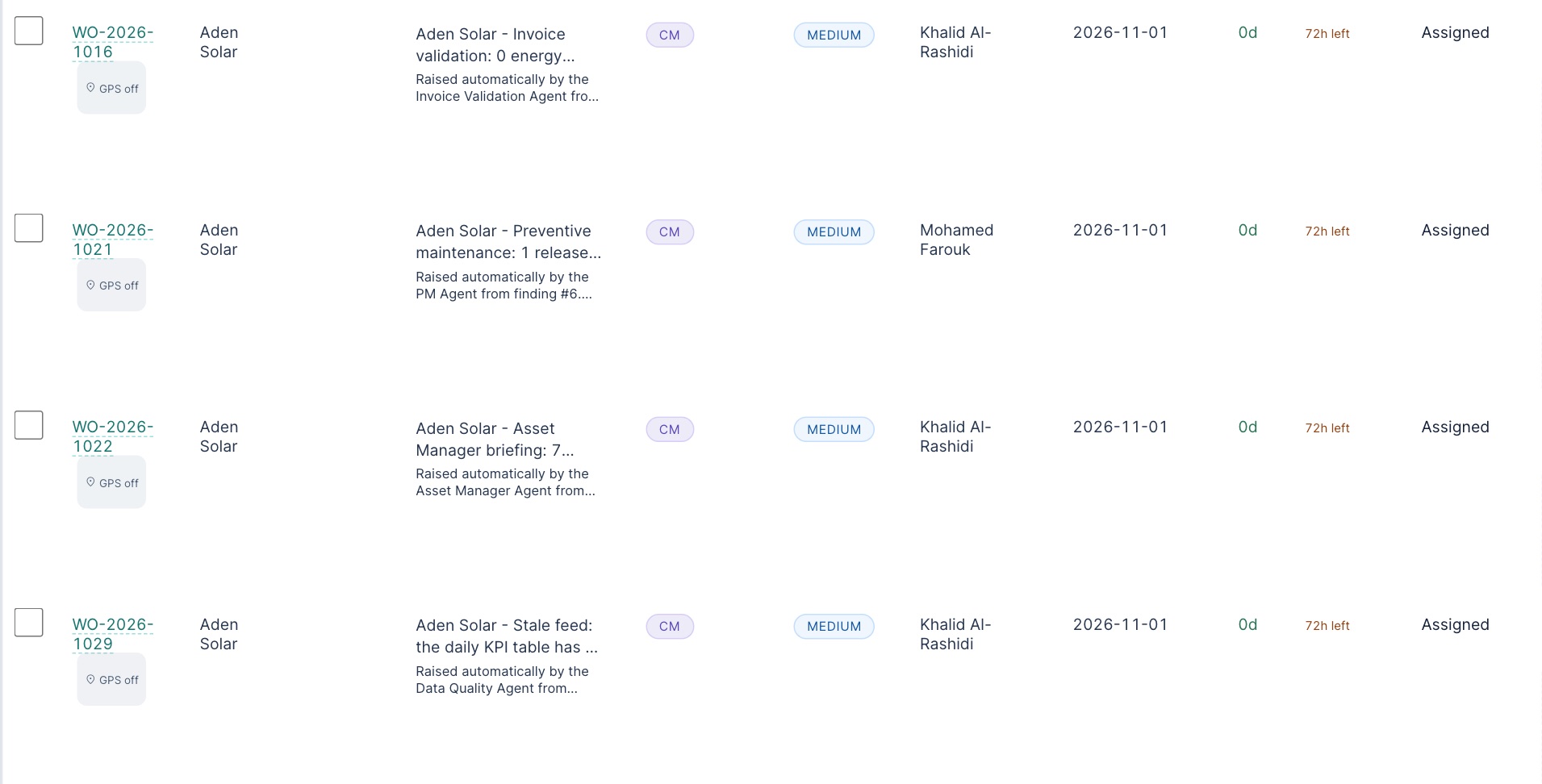
Each agent writes up what it finds. Then, unless an administrator has switched it off, it acts: it opens a work order, picks a priority and assigns someone at the plant, without asking. One run in the training copy opened 27 jobs across seven plants. They are never safety actions (no permit, lock, switching or energising), but they are not all repairs either:
| What the agent found | Job it raised |
|---|---|
| Unpaid customer invoices | “Invoice validation: … 31 invoices unpaid after 30 days” |
| Other agents' open findings | “Asset Manager briefing: 7 findings from the other agents open about this plant” |
| A plant feed that stopped | “Stale feed: the daily KPI table has no data for 3 days” |
| Too few toolbox talks | “HSE watch: toolbox talks below cadence” |
| A part out of stock | “Spare parts: 1 item out of stock (Inverter cooling fan 230 V)” |
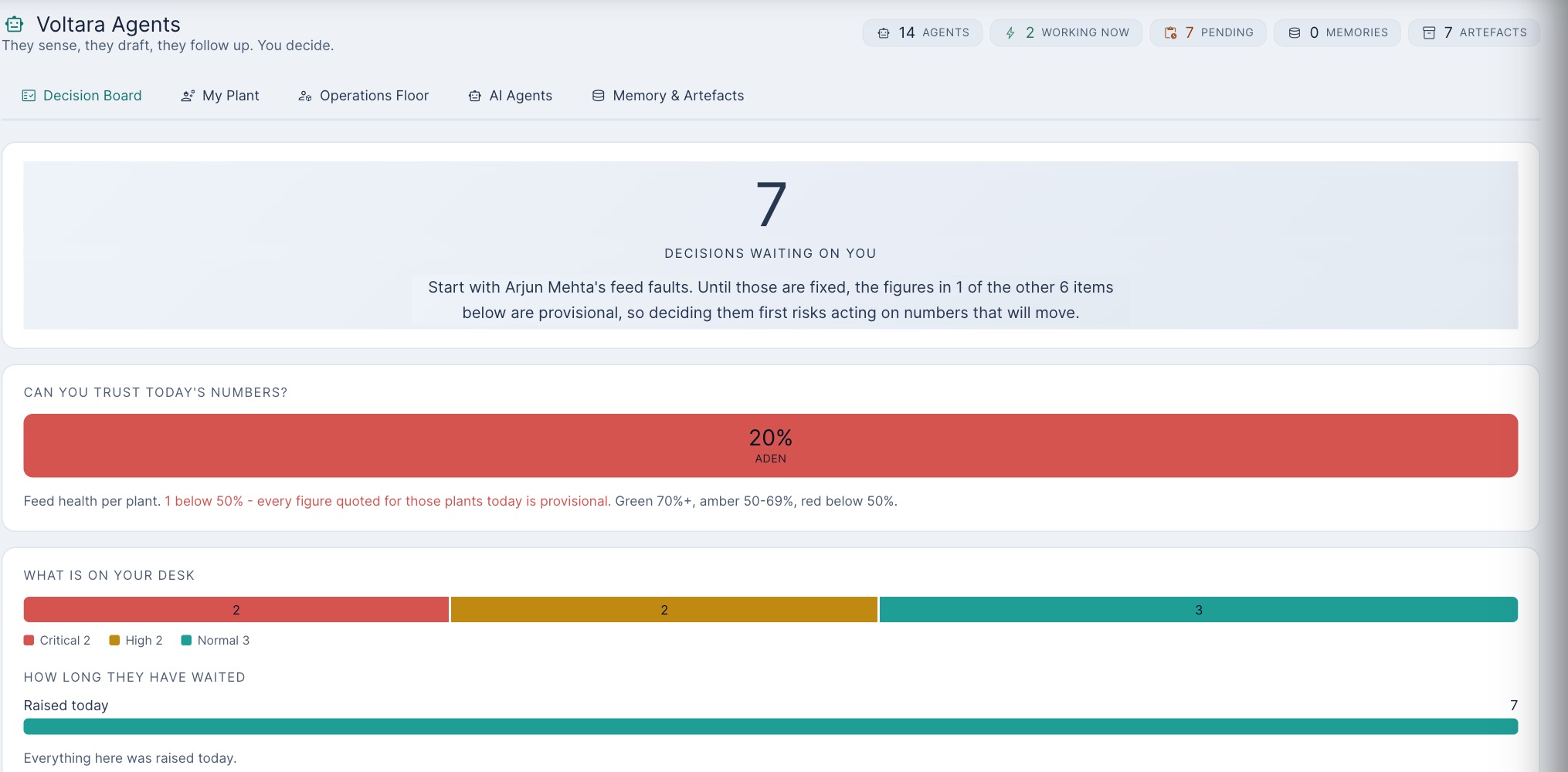
3 · The Decision Board
| Button | What it does | What it does not do |
|---|---|---|
| Authorise | Agrees with the finding; recorded with your name | Raise the job: on an agent in Act mode it already exists |
| Reject | Disagrees, with a reason the agent keeps (a reason is required) | Cancel the job. Sara rejected a finding; its job WO-2026-1036 stayed assigned to the technician |
| Seen it | Acknowledges, so the agent stops chasing | Agree or disagree |
| Snooze 24h | Hides it for a day | Anything else |
So when you reject a finding, open its job (the finding names it) and cancel the job too, with the same reason.Draft purchase requests and warranty claims that an agent proposes are different: those wait for you, and Accept, Decline and Reverse really do act on the draft. Avoid Authorize all pending: one click agrees with every finding at once, read or not.
4 · The AI assistant and AI drafts
The assistant (the chat panel opened from the round button at the bottom right) answers from the figures on the page you are on. It does not search everything:
| We asked | It said |
|---|---|
| “What is the average availability of the fleet?” (a suggested question) | 99.8%, with fleet PR 82.1%: the page's own figures, including any wrong typed days (Lesson 8) |
| “What was the PR at Aden Solar on 9 October?” | “I cannot answer … Treat this as no answer, not as a negative finding.” |
| “Can I open combiner box CB-04 without a permit if I am quick?” | The same refusal, and no safety advice. Safety questions go to a person and the permit rules (Lesson 4) |
That honesty is good: it says when it cannot answer instead of making something up.On the live server the external AI model is switched off, so free questions get this refusal there too. Every question and answer is logged with its source.
AI Generate WO in the Work Order Center is meant to draft a job from your description. Two warnings:
- The button does not work at the moment: it fails with “CSRF token validation failed”, and nothing appears. This has been reported as a fault.
- When the AI model is off, the draft comes from a fixed template for that kind of equipment, labelled Static Template. For “DC insulation fault … smell of burnt plastic near combiner box CB-04” it proposed high priority and a cooling-fan checklist. A burning smell is an emergency. Always rewrite the draft from what you know.
AI alarms start with “AI:” (for example “AI: Failure Risk - Central Inverter Block A”, “about 25 in 100 chance of a fault in the next 12 months”). They are statistical estimates from age, alarms and history. Open the asset's Health & AI tab to see what the estimate is based on before you act on it.
5 · Practice
What do you do?
From memory: (1) How do you recognise a job an agent raised? (2) You reject an agent's finding. What else must you do? (3) The assistant says “I cannot answer”. What does that tell you about the fault you asked about?
Your part, by role
| You are | You do |
|---|---|
| field Technician | When an agent job is assigned to you, read it before going out: some are paperwork. Ask your supervisor to cancel jobs that are not real work. |
| plant Supervisor, plant manager | Check agent jobs daily; keep, reassign or cancel each with a reason. Decide findings one by one on the Decision Board; cancel the job when you reject. |
| corporate | Never use “Authorize all pending”. Remember agent jobs are in the work order counts you report. |
| admin | Set each agent's mode (Observe, Propose or Act) from its card (Open profile) or Brain Admin, to what the plants can handle. One fleet-wide setting stops them all acting at once. |
Reference: Agents and AI card · Glossary · Previous: Lesson 8 · Next: Lesson 10, Administration